
Article
5 Real Linux Server Projects You Can Build This Weekend (Beginner-Friendly)
Stop memorizing Linux commands you'll forget. Build 5 real server projects on Ubuntu this weekend — from a file server to a personal website — with zero prior experience.

I've watched a lot of people try to learn Linux the wrong way. They open a terminal, work through a list of forty commands, close the laptop that evening feeling accomplished, and then two weeks later can't remember the difference between chmod 755 and chmod 644. It's not their fault. Commands without a purpose don't stick. Your brain needs a reason to keep them.
The fix is simpler than most tutorials make it sound: build something you'll actually use. When a command fixes a real problem in front of you — your website won't load, your files aren't backing up, your firewall is blocking the wrong port — you remember it because you needed it, not because a checklist told you to type it.
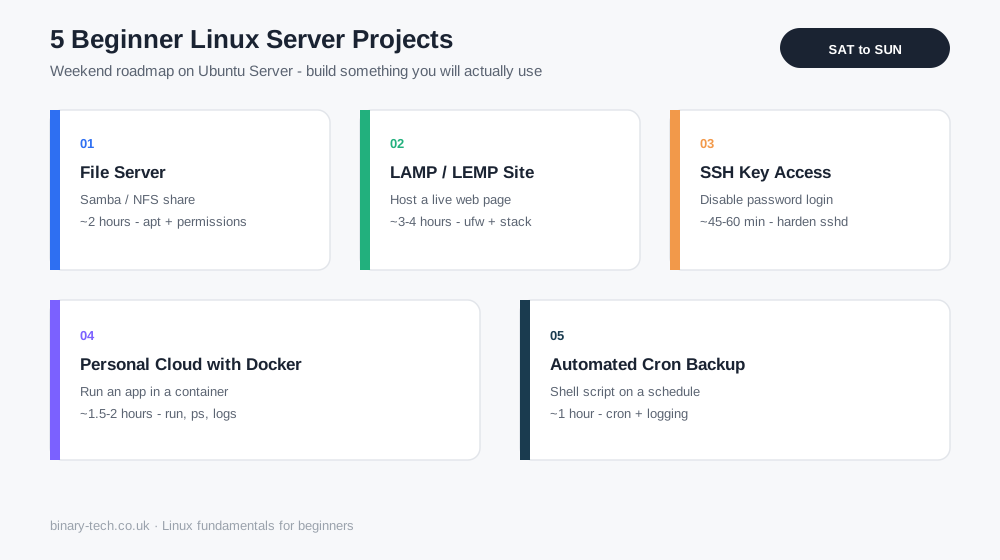
Below are five Linux server projects I regularly walk students through at Binary Tech Institute. None of them need expensive hardware. An old laptop, a $5-a-month cloud server, or even a spare Raspberry Pi will do. Pick one, set aside a Saturday afternoon, and by Sunday evening you'll have something real running — not just notes about commands you already forgot.
What You Need Before You Start
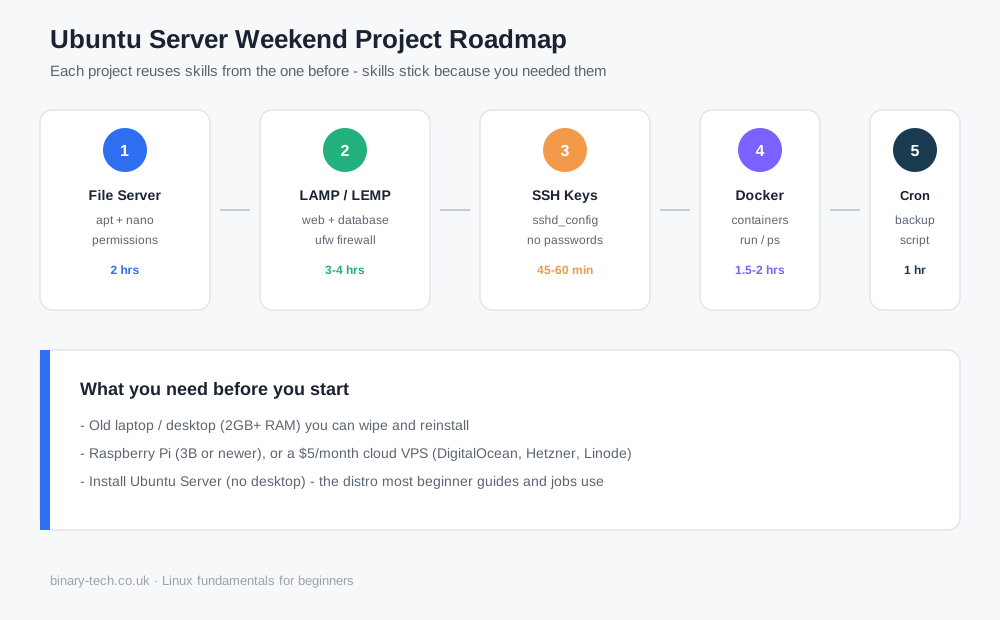
You don't need a server rack in your garage. You need one of these three things:
- An old laptop or desktop with 2GB+ RAM that you can wipe and reinstall
- A Raspberry Pi (any model from the 3B onward works fine)
- A cloud VPS — providers like DigitalOcean, Hetzner, or Linode all offer machines for a few dollars a month, and most give you a free trial credit worth trying first
Install Ubuntu Server (the free, no-desktop version of Ubuntu) on whichever option you choose. It's the distribution most beginner guides and most jobs actually use, so the muscle memory you build here transfers directly.
1. Build a File Server You Can Reach From Any Device
This is the project I recommend starting with, because you'll use it the same day you build it.
Using Samba (for Windows/Mac compatibility) or NFS (if you're staying Linux-to-Linux), you turn your server into a shared drive that every device on your home network can see. Drag a photo from your phone onto it. Pull a document up on your laptop. No USB stick, no emailing files to yourself.
What you'll actually learn: package installation with apt, editing configuration files with nano or vim, setting file and folder permissions correctly, and restarting services after a config change — four skills that show up in almost every other Linux task you'll ever do.
Time: roughly 2 hours, most of it waiting for large file transfers to finish.
2. Host Your Own Website on a LAMP or LEMP Stack
This one gets a genuine reaction from beginners, because the result is a URL they can send to a friend. LAMP stands for Linux, Apache, MySQL, and PHP — the classic combination that still powers a huge share of the web. LEMP swaps Apache for Nginx, which is lighter and increasingly common in production environments.
You'll install a web server, connect it to a database, and serve a working page — even a simple "hello world" site counts as a real win here.
What you'll actually learn: how web servers and databases talk to each other, basic firewall rules with ufw so only the right ports are open to the internet, and troubleshooting when a page won't load — which is 80% of what a junior sysadmin does day to day.
Time: 3–4 hours if you're going from a bare server to a live page.
3. Set Up Key-Based SSH and Lock Down Remote Access
Once you've got a server running, the next real-world skill is accessing it safely. By default, most servers let you log in with a password — which is exactly what automated bots scan the internet looking for. This project has you generate an SSH key pair, copy the public key to your server, and then disable password login entirely.
It sounds small. It's not. Every job posting that mentions "server administration" assumes you already know this.
What you'll actually learn: public/private key authentication, editing sshd_config without locking yourself out (a mistake worth making once, safely, on a throwaway server before you make it on something that matters), and basic security hardening habits.
Time: 45–60 minutes, plus the satisfying moment of confirming password login is truly disabled.
4. Run a Personal Cloud with Docker
Docker containers let you run applications — a note-taking app, a password manager, a small media server — without installing a mess of dependencies directly onto your system. Instead, each app runs in its own isolated container that you can start, stop, or delete without affecting anything else.
Start with something simple: pull an official image, run it, and access it through your browser. Once that clicks, you'll understand why so much of the modern industry has moved toward containerized deployment.
What you'll actually learn: the difference between an image and a container, basic Docker commands (run, ps, stop, logs), and why isolating applications this way solves a whole category of "it worked on my machine" problems.
Time: 1.5–2 hours for your first working container.
5. Automate a Backup With a Cron Job
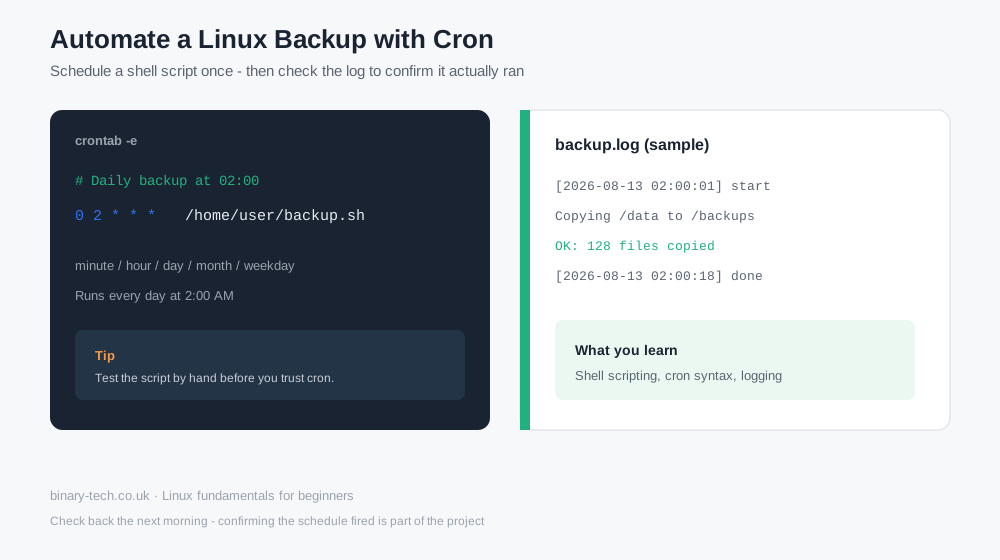
The last project ties everything together. You'll write a short shell script that copies important files to a second location — another folder, an external drive, or even a separate cloud server — and then schedule it to run automatically using cron.
This is the project that quietly separates people who've memorized commands from people who understand Linux. Automation means writing something once and trusting it to keep working without you.
What you'll actually learn: basic shell scripting, cron syntax (which trips up almost everyone the first time — that's normal), and logging, so you can check later whether the job actually ran.
Time: 1 hour to write and test, though I'd suggest checking back the next day to confirm the schedule fired correctly.
Why Projects Beat Command Lists
Every one of these five projects reuses skills from the one before it. By the time you reach the backup script, you're not learning cron in isolation — you're applying permissions, file paths, and troubleshooting habits you already built on day one. That's the actual difference between a course that teaches commands and one that teaches Linux.
It's also why, when I built the Linux Projects Course at Binary Tech Institute, I structured it the same way — five real projects, live, over five weekends, so you finish with an actual Ubuntu server running things you built yourself, not a certificate of attendance. If you've never touched a terminal before, the free Linux From Zero weekend session is a solid place to start first.
Frequently Asked Questions
Do I need to buy hardware to try these projects? No. A cloud VPS costs a few dollars and lets you delete and rebuild the server as many times as you want, which is genuinely useful when you're learning — mistakes cost nothing.
Is Ubuntu Server hard to learn if I've never used Linux before? It's more approachable than most people expect. The interface is text-based rather than visual, which feels unfamiliar for the first hour or two, but the commands you actually need for these five projects number in the dozens, not the hundreds.
How long does it take to get comfortable with Linux this way? Most people who work through five to six hands-on projects like these feel noticeably more confident within two or three weekends — far faster than working through a command reference from front to back.
Can I really put these projects on my CV? Yes, and you should. "Built and secured a Linux file server with SSH key authentication" tells an employer more than "familiar with Linux" ever will.
Ready to build these with guided, live support instead of troubleshooting alone? Join the Linux Projects Course — 10 live sessions, five real builds, one working Ubuntu server by the end.
Frequently Asked Questions
Keep reading
Related guides
More practical writing on networking, cybersecurity, and IT careers.
 Article
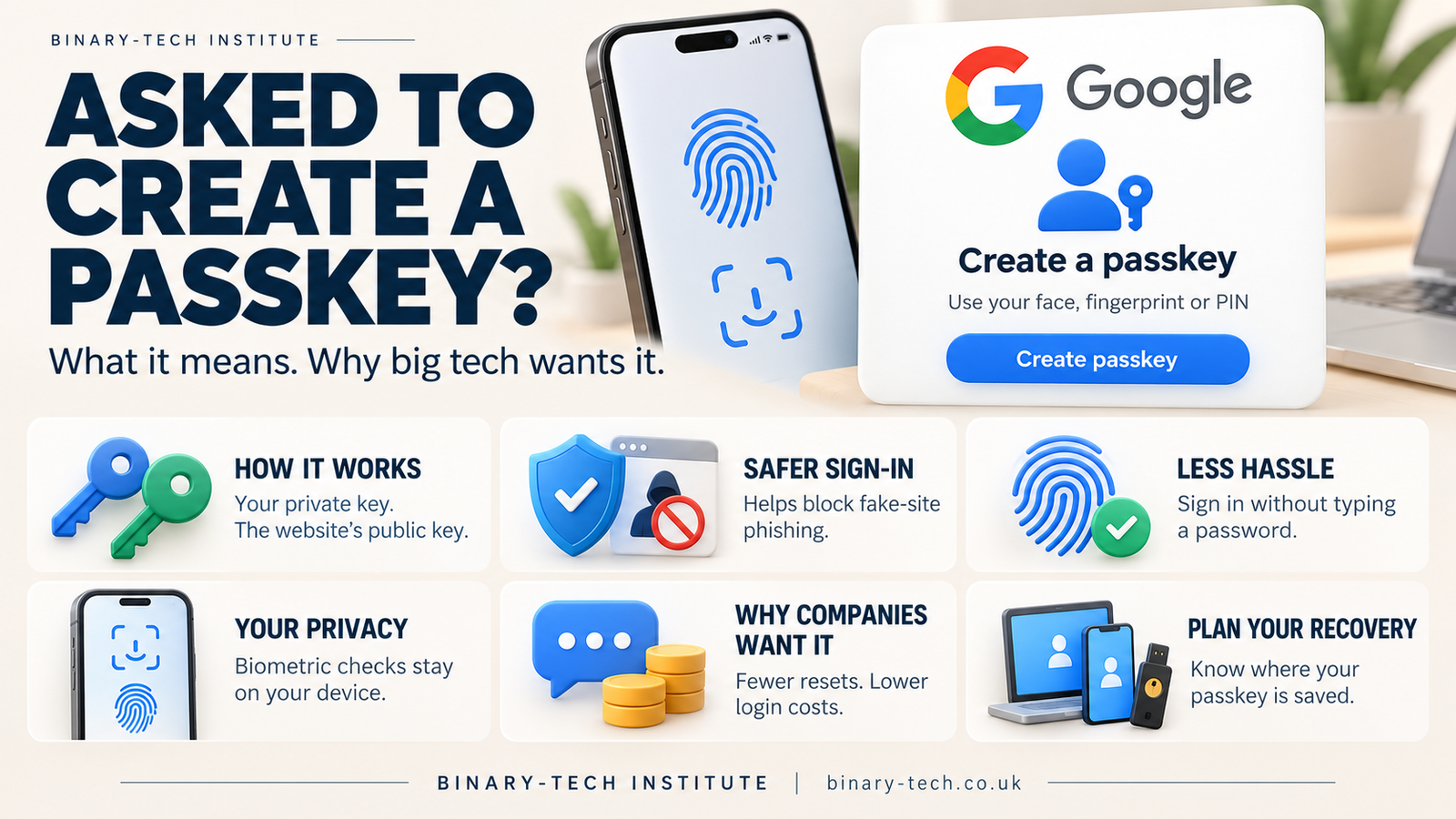
What Is a Passkey, and Why Are Websites Asking You to Create One?
Keep seeing “Create a passkey” when you sign in? Discover how passkeys work, why major tech companies are promoting them and what happens if you lose your phone.
Read article Article
When the Cloud Lost Power: How a London Outage Disrupted Revolut
A Google Cloud outage in London disrupted Revolut on 20 October 2026. Here is what happened, why recovery took time and what businesses can learn about resilience.
Read article Article
France’s Move from Windows to Linux: Why Digital Sovereignty Matters
France’s digital directorate has announced a move from Windows to Linux as ministries prepare wider plans to reduce dependence on non-European technology. We explore the costs, privacy concerns and lessons from the Gendarmerie’s earlier migration.
Read articleReady to learn with a mentor?
Turn what you just read into hands-on skill with a live Binary Tech cohort.